
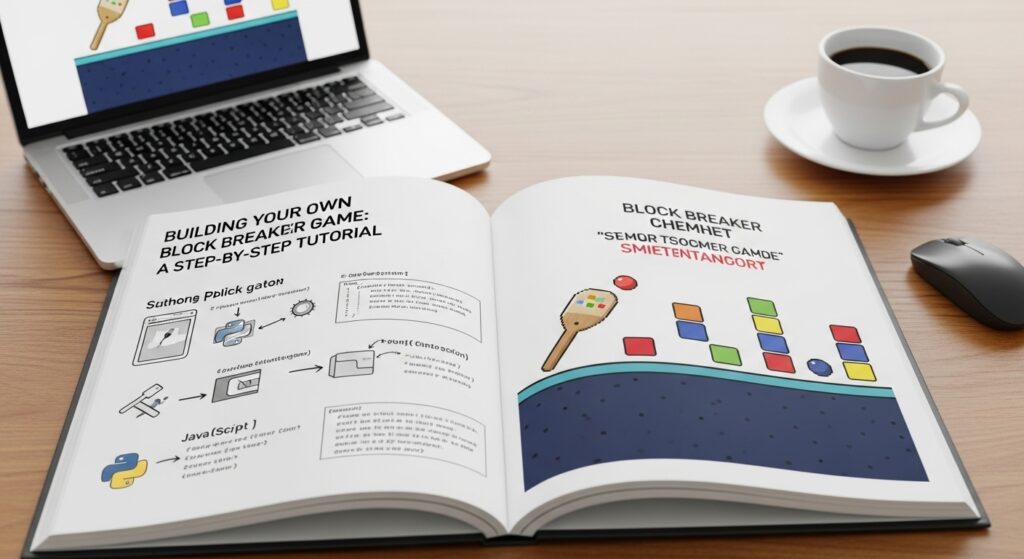
Are you ready to unleash your inner game developer? If you’ve ever enjoyed playing classic arcade games, you’re in for a treat. Block breaker games are not just fun; they’re also a fantastic way to dive into the world of programming and game design. With their simple mechanics and addictive gameplay, creating your own block breaker can be an exciting project that sharpens your coding skills.
Imagine bouncing a ball off a paddle, smashing through layers of colorful bricks while racking up points. Sounds like fun, right? Whether you’re an experienced coder or just starting out, this step-by-step tutorial will guide you through building your very own block breaker game from scratch. So grab your favorite snacks and let’s get started on crafting something amazing!
The Basic Elements of a Block Breaker Game
At the heart of any block breaker game are a few essential elements. These components work together to create an engaging experience for players.
First, you have the paddle. This element allows users to interact with the ball and control its movement across the screen. It usually moves horizontally and can vary in size or speed depending on your design choices.
Next is the ball itself. The dynamics of how it bounces off surfaces are crucial for gameplay. A well-designed ball adds excitement as it ricochets unpredictably.
Then come the bricks, which form obstacles that players aim to break through. They can be arranged in various patterns, offering different levels of challenge.
Sound effects and visual feedback enhance user experience by making actions more satisfying and immersive. Together, these basic elements set the stage for a classic block breaking adventure!
Choosing the Right Programming Language and Tools
Selecting the right programming language is crucial for your Block Breaker game. Popular choices include JavaScript, Python, and C#. Each has its strengths depending on your experience level.
JavaScript is ideal if you’re targeting web browsers. It allows for easy integration with HTML5 and CSS3, making it a versatile choice. Plus, libraries like Phaser can speed up development.
If you’re more comfortable with Python, consider using Pygame. This framework offers excellent support for graphics and sound but may require some additional setup to run in a browser environment.
For those looking for performance and control, C# paired with Unity provides powerful tools to create stunning visuals and complex gameplay mechanics. Unity’s asset store also offers various resources that can accelerate the development process.
Whichever path you choose, ensure it aligns with your goals as a developer while keeping user experience front of mind.
Step 1: Setting Up the Game Screen
Setting up the game screen is your first step toward creating an engaging Block Breaker experience. This is where players will immerse themselves in your creation.
Begin by defining the dimensions of your game window. A common choice for a classic feel is 800×600 pixels, but feel free to adjust based on your design vision. Make sure it’s large enough to allow for movement while keeping everything visible at a glance.
Next, choose a background color or image that complements the action without overwhelming players. Often, simple colors work best—think sleek black or vibrant blue.
Add borders around the playing area to keep elements contained and visually appealing. These can be as basic or intricate as you like, but clarity should remain a priority.
Ensure that all graphical assets are loaded correctly before diving into gameplay mechanics; this sets the foundation for smooth operation moving forward.
Step 2: Creating the Paddle and Ball Objects
Creating the paddle and ball objects is a vital step in developing your Block Breaker game. These elements are crucial for gameplay dynamics.
Begin by defining the paddle. This object must be responsive to player input, allowing smooth horizontal movement across the bottom of the screen. Use simple shapes like rectangles to represent it visually.
Next, let’s craft the ball. The ball should have a circular shape and start moving at a specific speed when launched.
Incorporate basic physics to enable realistic bouncing off walls and bricks, ensuring that angles change based on where it hits surfaces.
Don’t forget about colors and designs! A vibrant palette can enhance user engagement while maintaining clarity during fast-paced action.
Step 3: Adding Movement and Collision Detection
Now it’s time to bring your Block Breaker game to life with movement and collision detection. This step adds excitement and interaction, making the gameplay engaging.
Start by programming the paddle’s left and right movements. Using keyboard input, allow players to control it smoothly across the screen. Smooth animations enhance user experience, so keep that in mind while coding.
Next, focus on the ball’s movement dynamics. Apply physics for realistic bouncing off surfaces—both the paddle and bricks should send it flying at various angles depending on where they collide.
Collision detection is crucial here. Implement a system that checks if the ball intersects with either the paddle or bricks. When a collision occurs, trigger an event like changing direction or breaking a brick.
Make sure these interactions feel responsive; nobody enjoys laggy controls in games! Testing frequently will help you refine this critical aspect of your Block Breaker project as you go along.
Step 4: Designing Levels with Bricks
Designing levels in your Block Breaker game is a creative and fun process. Start by deciding the layout of bricks on your game screen. Use different shapes, sizes, and arrangements to keep players engaged.
Consider adding some patterns or clusters that require strategic shots to break through. This adds an element of challenge while also making the gameplay visually appealing.
You can introduce special bricks too. For example, make some indestructible or those that release power-ups upon destruction. These variations will enhance player experience and encourage exploration within each level.
Always playtest your designs to gauge their difficulty. You want them challenging but not frustratingly hard. Adjust placements based on feedback for balanced gameplay that keeps players returning for more action!
Step 5: Adding Scoring and Lives System
To make your Block Breaker game engaging, implementing a scoring and lives system is essential. This feature keeps players motivated as they strive for high scores.
Start by assigning points for every brick that gets destroyed. You can vary the points based on the type of brick or its color. For instance, a tougher brick could yield more points when broken.
Next, incorporate a lives system to add challenge. Players typically start with three lives. Each time they miss the ball or fail to clear bricks before reaching the bottom of the screen, deduct a life.
You can also provide opportunities for players to earn extra lives after achieving specific milestones. This encourages them to keep playing and improving their skills while adding layers of excitement to your game design.
Bonus Tips for Customization
Now that you’ve got the basics down, it’s time to make your Block Breaker game truly yours. Customization adds personality and keeps players engaged.
Consider altering the color scheme of your bricks and background. Bright colors can energize gameplay while softer tones may create a more relaxed vibe.
Next, think about different brick types with unique properties. For instance, some could require multiple hits or explode on impact for added excitement.
Sound effects also play a crucial role in enhancing player experience. A satisfying sound when breaking bricks can boost immersion significantly.
You might even want to introduce power-ups like multi-ball or paddle extensions that appear randomly during gameplay.
Experiment with level designs featuring obstacles or moving blocks to keep things challenging and unpredictable.
Conclusion
Creating your own Block Breaker game is an exciting journey that combines creativity with programming skills. As you follow this step-by-step tutorial, you’ll unlock the essential elements of game development and gain valuable experience along the way.
From setting up your game screen to designing levels filled with bricks, each stage allows for personal expression and technical learning. Implementing movement and collision detection not only enhances gameplay but also deepens your understanding of physics in gaming.
With a scoring system and lives mechanic, you add layers of challenge that keep players engaged. Don’t forget to explore customization options! Personal touches can make your block breaker unique and enjoyable for everyone.
Embrace the process, experiment boldly, and watch as your vision transforms into a playable reality. Whether you’re a beginner or have some experience under your belt, building a Block Breaker game provides endless opportunities for growth in both coding skills and creative thinking. Happy developing!